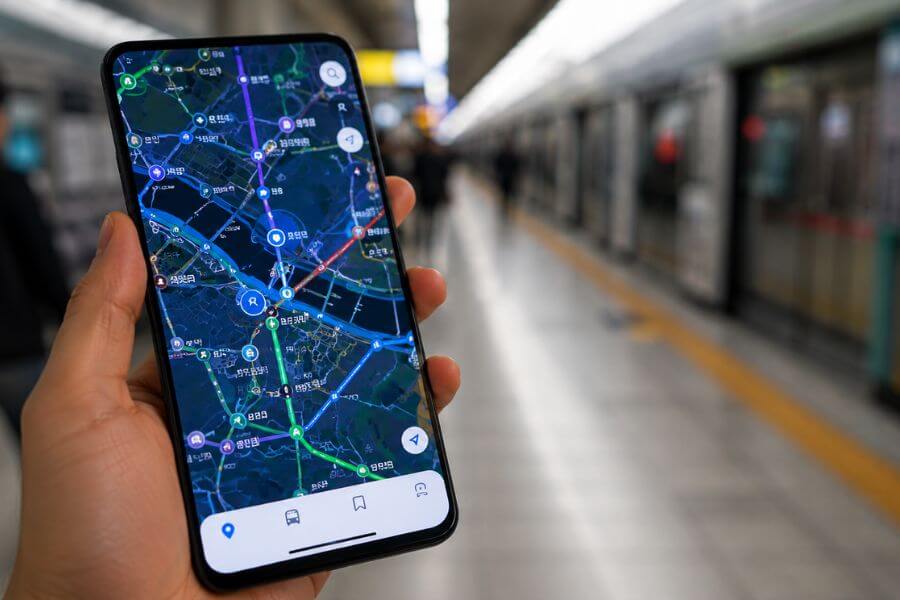
Landing in South Korea is like stepping into the future. The streets are alive with bright neon signs, the cafes look like they belong in a design magazine, and the public transit system is legendary for being incredibly clean and always on time. You grab your bags, step out of the airport, pull out your phone, and open Google Maps.
That is your first mistake.
If you rely on Google Maps in South Korea, you will quickly find yourself standing on a street corner, staring at a blank screen or looking at a blurry, outdated route that tells you to walk through a solid brick wall. Because of unique local security laws, Google Maps is practically useless here. To navigate like a pro, you need to swap your usual apps for the local champions: Naver Map, KakaoMap, and Kakao T. This guide will show you exactly how to master these tools so you can explore the country without getting lost.
The Big Mystery: Why Google Maps Fails in Korea
To understand why your favorite map app suddenly stops working when you touch down in Seoul or Busan, you have to look at the country’s history. South Korea has strict national security regulations regarding geographic data. The government restricts high-resolution map data from leaving the country unless certain security edits are made, such as blurring out military bases, government buildings, and major industrial sites.
Because international companies like Google store their map data on cloud servers located all over the world, they cannot easily comply with these specific domestic laws. Local Korean companies keep all their servers within the country and work directly with the government to follow these safety rules. As a result, local apps have access to incredibly detailed, real-time geographic data, while foreign apps are left with a pixelated, basic outline that cannot give you accurate walking directions or real-time bus schedules.
When you try to use a foreign map in Seoul, you might see the general layout of the streets, but the app will refuse to give you walking paths. It might tell you to take a wildly inefficient route, or it might not show the subway exit numbers at all. This is not a glitch on your phone. It is simply the law of the land, and the sooner you accept it and download the local alternatives, the smoother your adventure will be.
Meet Your New Best Friends: The Essential App Lineup
Before you even board your flight, you should head to your app store and download three specific icons. These tools will handle everything from finding a hidden barbecue restaurant in a narrow alleyway to summoning a taxi in the middle of a rainstorm.
The first major player is Naver Map. Naver is often called the Google of South Korea. It is the most popular search engine in the country, and its map app is an absolute powerhouse. It offers deep integration with local business listings, user reviews, blogs, and interior photos of shops and cafes. If you want an app that does everything well, this is your primary tool.
The second major player is KakaoMap. This app is built by the same company behind KakaoTalk, the messaging app that practically every single person in South Korea uses daily. KakaoMap is known for its lightning-fast interface, brilliant 3D map views, and incredibly precise real-time transit tracking. Many travelers prefer its clean look and find its public transit layouts slightly more intuitive.
The third tool you absolutely need is Kakao T. The letter T stands for transportation. This is the ultimate ride-hailing and travel booking app. Since global ride-sharing apps do not operate normally in South Korea, Kakao T connects you directly with the massive network of licensed city taxis. It also allows you to rent electric bikes, book intercity buses, and purchase train tickets all in one place.
Setting Up Your Phone for Smooth Sailing
Getting these apps ready before you arrive will save you a massive headache later. While both Naver Map and KakaoMap have great English language support, the initial setup can sometimes feel tricky if you are doing it on the fly while trying to navigate a crowded train station.
Start by switching your phone keyboard settings to include a Korean language option. Even though you will be using the apps in English, you will occasionally want to copy and paste a Korean address directly from a website or a hotel booking confirmation. Having the Korean keyboard ready makes this effortless.
When you download Naver Map and KakaoMap, they will usually match your phone’s system language automatically. If they do not, you can easily go into the app settings to toggle the language to English. Do not worry about reading complex characters; the main buttons, search bars, and navigation voice prompts will all be in clear English.
For Kakao T, the setup requires a bit more attention. You will want to create a Kakao Account, which is easiest to do by setting up a basic KakaoTalk messaging account first. Once you link the transport app to your account, you can add a foreign credit card for payments. This is a game-changer because it allows you to pay for your taxi rides automatically through the app, eliminating any language barriers or currency confusion when you arrive at your destination.
Mastering Naver Map: The All-In-One Explorer
Naver Map is going to be your go-to app for daily exploration. When you open it up, you will notice the layout is packed with information. Let us break down how to use its core features to find your way around like a local.
Searching for Destinations Smartly
Searching in English on a Korean map app can sometimes feel like a game of trial and error. If you type in a restaurant name and nothing pops up, do not panic. The best trick is to use the telephone number of the venue. Phone numbers in South Korea are completely unique, and typing the numbers into the Naver search bar will almost always bring up the exact location, even if the English translation of the name is spelled differently in the database.
If you do not have the phone number, try searching for the specific neighborhood name along with the type of food you want. For example, typing “Hongdae cafe” or “Myeongdong barbecue” will give you a list of excellent options complete with star ratings and photos. Another solid method is to copy the Korean name of the place from the internet and paste it directly into the search bar.
Decoding the Walking Navigation
Once you select your destination and hit the pedestrian icon, Naver Map will map out your walking path. Pay close attention to the small details on the screen. The app will show you exactly which side of the street you should walk on, where the pedestrian crossings are, and whether you need to take an underground passage or an overpass.
The app also uses your phone’s built-in compass to show a small cone of light pointing out from your location dot. This tells you exactly which direction you are facing. If you start walking and the dot moves away from the highlighted line, you know immediately that you turned the wrong way.
Utilizing the Street View Feature
If you find yourself in a maze of small streets and cannot figure out which building is the right one, look for the small camera icon on the side of the screen. This activates Naver’s highly detailed street view. You can pan around in full high-definition to see exactly what the storefront looks like in real life. This is especially helpful in older neighborhoods like Insadong or Ikseon-dong, where tiny cafes are often hidden away inside traditional courtyard houses behind larger modern buildings.
Conquering KakaoMap: The Transit Champion Speedster
While Naver is incredible for finding places, KakaoMap shines brightly when it comes to the actual act of moving through the city. Its interface is built for speed and real-time precision.
The Power of 3D Maps and Vector Graphics
KakaoMap uses an advanced graphics engine that allows you to tilt, rotate, and zoom into the map with zero lag. In major city centers, the buildings pop up in full 3D shapes. This makes navigation much simpler because you can look up at the skyline, spot a uniquely shaped skyscraper, and match it perfectly with the 3D block on your screen to orient yourself instantly.
Real-Time Bus Tracking to the Second
Waiting for a public bus in a foreign country can be nerve-wracking, but KakaoMap removes all the guesswork. When you pull up a bus route, the app shows you exactly where the buses are on a virtual line. It tells you how many minutes away the next bus is, how crowded it currently is, and even the license plate of the vehicle so you know exactly which one to step onto.
Customized Theme Maps for Inspiration
KakaoMap includes a feature called “Themes” hidden in its menu. These are curated maps created by locals and travel experts. You can find maps dedicated entirely to the best cherry blossom spots in spring, the top-rated vegan restaurants in Seoul, or historic walking trails in Gyeongju. It is like having a local tour guide living right inside your pocket.
Deciphering the Korean Public Transit Maze
The public transportation network in South Korea is vast, combining high-speed subways, local trains, city buses, and intercity coaches. Naver Map and KakaoMap map this entire system perfectly. Here is how to read the transit routes they generate for you.
| Transit Feature | Naver Map Performance | KakaoMap Performance |
| English Search | Highly reliable, matches common tourist spellings | Good, but occasionally requires precise names |
| Subway Routing | Excellent, provides specific train car recommendations | Superb, offers highly accurate transfer times |
| Bus Updates | Live countdowns, clear stop lists | Live second-by-second tracking, crowd indicators |
| Offline Functionality | Limited saved map viewing | Basic cached route viewing |
Navigating the Subway Like an Expert
When you look up a subway route, the apps do not just tell you which line to take and where to transfer. They give you highly specific instructions that save you minutes of walking underground. Look for the small numbers next to a train icon that look like “4-3” or “7-1”. These represent the exact car and door numbers you should stand in front of on the platform. If you board that specific car, you will exit the train right in front of the stairs or escalator needed for your transfer or your final exit.
The apps also display the exact exit numbers for every station. Korean subway exits are numbered clearly on yellow signs throughout the stations. Your app will tell you to leave via “Exit 5” or “Exit 12” to get to your destination. Always follow these numbers rather than trying to navigate above ground, as crossing major multi-lane avenues in Korean cities can often be difficult without using the subway’s underground walkways.
Mastering the Complex Bus Network
Buses in Korea are color-coded, and understanding this system will help you feel much more comfortable when the app tells you to jump on one. Blue buses travel long distances along major boulevards connecting different districts. Green buses are local neighborhood shuttles that carry you from smaller streets to the nearest subway hubs. Yellow buses run on short circular routes around commercial areas, and red buses are express lines that transport commuters from the outer suburbs into the heart of the city center.
When your app tells you to take a bus, it will display the specific stop identification number. Every single bus shelter has a five-digit number printed on it. When you arrive at the stop, check the shelter to ensure the number matches your app. This guarantees you are standing on the correct side of the street and heading in the right direction.
Calling a Ride with Kakao T: Your Ultimate Taxi Solution
There will be times when your feet are tired, you have too many shopping bags, or the subway has closed for the night. In those moments, you will want a taxi, and hailing one off the street can be challenging if you do not speak Korean. That is where Kakao T becomes your absolute lifesaver.
Choosing the Right Car Type
When you open Kakao T and enter your drop-off location, the app will present you with several different vehicle options.
- General Taxi: This is your standard city sedan. It is the most affordable option and is readily available almost anywhere at any hour.
- Blue or Venti: These are premium services. Blue taxis are standard cars with drivers who have pristine service ratings, while Venti options are large, comfortable passenger vans perfect if you are traveling with a big group or heavy luggage.
- Black: This is the luxury limousine service. The cars are high-end black sedans, and the drivers are dressed in formal suits. It costs significantly more but provides a top-tier premium travel experience.
Communication with Your Driver
The absolute best part about Kakao T is that it bridges the language gap completely. Your destination is sent directly to the driver’s dashboard navigation system automatically. When the car arrives, you simply verify the license plate matches the one shown on your screen, slide into the back seat, and say a polite hello. There is no need to explain complicated directions or try to read Korean addresses out loud.
If the driver needs to contact you before pickup, they can send a message through the app. Kakao T includes automatic translation for these messages, allowing you to understand if they are waiting around the corner or stuck in traffic, and you can reply back with simple pre-written English phrases that translate instantly on their end.
Hidden Gems: Extra App Features You Did Not Know Existed
Beyond basic point-to-point navigation, these apps are packed with incredible secondary features designed to make city living incredibly convenient. Exploring these bonus tools will elevate your travel game.
Booking Train and Intercity Bus Tickets
If you want to take a day trip from Seoul to the coastal city of Busan or visit the historic temples of Gyeongju, you need to book seats on the KTX high-speed train or an express intercity bus. Instead of struggling with complicated website layouts or waiting in long lines at the station ticket counters, you can handle the entire booking process directly inside Kakao T. The app displays real-time seat availability, lets you select your preferred coach, and issues a digital boarding pass directly to your smartphone screen.
Renting Shared Electric Bikes
As you wander through cities like Seoul, Incheon, or Daegu, you will notice rows of bright yellow or white electric bicycles parked neatly along the sidewalks. These belong to the Kakao T bike-sharing network. If you want to ride along the scenic paths bordering the Han River, you can simply open your Kakao T app, tap the bike icon, and scan the QR code located between the handlebars. The lock clicks open instantly, and your rental fee is calculated by the minute and charged directly to your linked card when you lock the rear wheel at your destination.
Monitoring Air Quality and Weather Overlays
Weather in East Asia can change quickly, and keeping track of seasonal fine-dust levels is important for outdoor planning. Both Naver Map and KakaoMap feature live environmental overlays. By tapping the map layer button on the upper corner of your screen, you can turn on real-time weather radars and air quality indicators. The map will color-code different regions, letting you see at a glance if it is a perfect clear day for an alpine hike or if you should plan an afternoon exploring indoor museums and underground shopping centers instead.
Common Pitfalls and How to Avoid Them
Even with the best tools in hand, navigating a new country can throw a few curveballs your way. Being aware of these common mapping slip-ups will keep your journey completely stress-free.
The Address System Flip
South Korea officially updated its national address system from an older land-lot model to a modern road-name system. This means that every building now has two distinct addresses associated with it. Sometimes older restaurants will list their old address on their website, while your app defaults to the new system. If an address search fails, try switching between the two versions or, as mentioned before, simply rely on the venue’s direct telephone number to pinpoint the location.
Battery Drain Management
Because Naver Map and KakaoMap are constantly processing high-resolution graphics, tracking live satellite signals, and updating transit counters in real time, they consume a significant amount of smartphone battery power. Walking around a busy city with a dead phone is an absolute nightmare. Always travel with a reliable portable battery pack and a charging cable in your daypack so you can keep your navigation tools running from early morning coffee runs until late-night street food excursions.
Dealing with Underground Disconnections
The subway stations in South Korea are massive, subterranean multi-level complexes that often feature entire shopping malls, food courts, and plazas inside them. When you are deep underground beneath multiple layers of concrete and steel, your phone’s GPS signal will occasionally struggle to locate you accurately. If your location dot begins spinning wildly, do not worry. Simply look up and follow the bright physical signs pointing toward the exit numbers recommended by your app before you started your underground descent. Once you step out into the open air, your phone will lock onto the satellite signal instantly.
Comparing the Platforms: Which One Belongs on Your Home Screen?
Choosing between Naver Map and KakaoMap often comes down to personal style and what you plan to do on any given day. Both are exceptional programs, but they cater to slightly different travel mindsets.
If your primary goal for the day is discovery, choose Naver Map. Its integration with the broader Naver ecosystem means it holds an unmatched treasure trove of lifestyle data. You can read detailed translated reviews from local food bloggers, browse full digital menus to see pricing beforehand, and view extensive photo galleries of hidden cafes to make sure the vibe matches your aesthetic.
If your day is focused on tight schedules, multiple transfers, and swift transit across vast distances, lean on KakaoMap. Its interface strips away clutter to focus heavily on pure performance. The 3D view makes it almost impossible to walk out of the wrong station exit, and its live bus and train countdowns are incredibly dependable when you are racing to catch a cross-country connection.
Ultimately, the smartest travelers keep both apps stored together in a single navigation folder on their home screen alongside Kakao T. Using them as a complementary trio gives you total control over your environment, transforming what could be a confusing transit experience into an exciting, seamless adventure.
Frequently Asked Questions
Why can I not just use Google Maps if I only need simple walking directions around my hotel?
Google Maps cannot access the detailed domestic geographic databases required to calculate walking paths within South Korea due to national security regulations. If you try to use it for a short walk, the app will either say that directions cannot be found, or it will draw a straight line from your location to the destination without recognizing roads, sidewalks, or barriers, which can easily lead you into dead ends or dangerous highway crossings.
Do I need a local Korean phone number to use Kakao T for hailing taxis?
No, you do not absolutely need a local phone number to use the basic ride-hailing services. You can register for an account using your international phone number to receive the necessary SMS verification codes. However, you must ensure that your roaming service or international plan allows you to receive text messages while abroad so you can complete the initial registration process smoothly.
Can I link an international credit card to Naver Map for purchasing services?
Naver Map is primarily used by travelers for navigation and location discovery. While it does have booking features for certain restaurants or exhibitions, those financial transactions are typically processed through Naver Pay, which can be difficult to set up without a domestic Korean bank account or local identification. For booking transport easily with an international credit card, it is best to use Kakao T.
What should I do if an address in my app shows up entirely in Korean characters?
If a specific location or note pops up in Korean, you can take a quick screenshot of your device display and run it through a translation app like Papago or Google Translate using their image translation features. Additionally, both Naver and Kakao maps allow you to tap on the address text block to copy it directly to your clipboard, making it simple to paste into a translation tool.
Are the voice navigation prompts available in English for driving or walking?
Yes, both Naver Map and KakaoMap offer clear English voice navigation options for their turn-by-turn routing features. You can activate this by entering the app settings menu, selecting navigation preferences, and ensuring the language output is set to English. This allows you to listen to directional audio cues through your headphones while keeping your phone tucked safely in your pocket as you walk.
Is Apple Maps a viable alternative to Google Maps when traveling in South Korea?
Apple Maps does function slightly better than Google Maps in South Korea because it partners with local data providers to display roads and public transit routes. However, it still lacks the deep, updated business listings, live bus crowd indicators, accurate subway platform door numbers, and integrated taxi services found inside the native apps, making Naver and Kakao much more powerful choices for an optimal travel experience.
How do I know if a taxi ordered through Kakao T will accept my large suitcases?
Standard sedans can comfortably hold two large suitcases in the trunk. If you are traveling with a large group, family members, or have more than three large bags, you should select the “Venti” option inside the Kakao T app when requesting your ride. This ensures a spacious passenger van will pick you up, providing plenty of dedicated cargo room for all your luggage without causing any awkward issues with the driver.
Do these local map apps work if I am traveling outside of major cities like Seoul or Busan?
Yes, Naver Map and KakaoMap provide complete national coverage across the entire country, including rural farming communities, mountainous national parks, and isolated islands like Jeju or Ulleungdo. In fact, their coverage in remote areas is even more vital, as they accurately map out local rural bus schedules and small walking trails that do not appear on foreign mapping platforms at all.