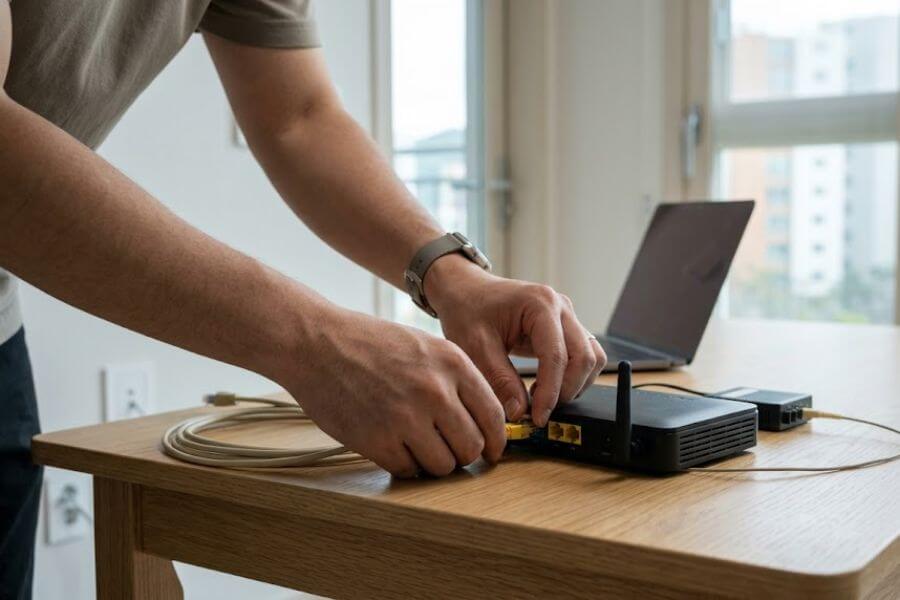
Moving to South Korea is an incredible adventure. You get to experience amazing food, fast-paced city life, and beautiful landscapes. But before you can comfortably stream your favorite shows or order late-night fried chicken directly to your apartment, you need to get connected. Setting up home internet and a postpaid mobile phone plan are two of the most critical tasks you will face during your first few weeks as a new resident.
The digital world in Korea is highly advanced, but it operates on a very specific set of rules. For a newcomer, navigating the system can feel overwhelming. If you do not speak the local language fluently, or if you do not understand the standard procedures, you might end up waiting weeks for simple installations or signing up for contracts that do not fit your needs. This guide walks you through every step of the process, ensuring you can get your home internet running quickly and lock in a reliable postpaid phone plan without any unnecessary stress.
Understanding the Legal Identification Requirement
Before you look at internet speeds or browse the latest smartphone models, you must understand the foundational requirement for all long-term contracts in Korea. You cannot simply walk into a telecom store with your passport and sign up for a standard postpaid phone plan or a multi-year home internet contract. The entire digital infrastructure of the country relies on a specific form of legal identification.
The Residence Card Dilemma
As a new resident holding a long-term visa, you are required to apply for a Residence Card. People often refer to this card as the Alien Registration Card, or ARC. This physical card contains your unique foreign resident registration number. In Korea, this number connects to your legal name and your official identity across all digital platforms.
When you first arrive, you only have your passport. While a passport allows you to buy short-term prepaid SIM cards at the airport, it does not grant you access to postpaid phone contracts or residential broadband services. The system requires an active resident number to run credit checks and verify your legal status. For this reason, your absolute first priority upon landing must be scheduling an appointment at your local immigration office to apply for your physical Residence Card.
The Mobile Identification Option
An exciting update to the immigration system is the introduction of the digital Residence Card, which connects directly to a official Mobile Identification application on your smartphone. If you receive a physical card that contains an embedded integrated circuit chip, you can scan it into your smartphone using the official application.
This digital card carries the exact same legal weight as the physical plastic card. You can use it at major telecom stores, public offices, and banks. However, to activate this digital ID, you still must wait for your physical card to arrive in the mail or pick it up from the immigration office. The processing time for your ID card typically takes between two to six weeks, depending on the season and how busy your local branch is. You should plan your digital setup timeline around this waiting period.
Choosing the Right Home Internet Provider
Once you have your legal identification sorted out, or while you are waiting for it to arrive, you can begin researching home internet service providers. Korea boasts some of the fastest internet speeds on the planet, powered by massive fiber-optic networks that reach almost every building in the country. Three major telecommunications companies dominate the market, and each offers similar reliability but slightly different perks.
KT Corporation
KT Corporation, formerly known as Korea Telecom, is the traditional giant of the country’s communication infrastructure. They own the vast majority of the physical underground fiber lines across the peninsula. Because they own the primary network, their service coverage is unmatched, especially if you live in an older building, a rural area, or outside the major metropolitan zones.
If you value absolute stability and want to ensure that your building can support the highest possible speeds without any structural roadblocks, KT is often the safest bet for expats. They also maintain a robust English-language customer support line and have specialized global stores in neighborhoods with high international populations. This makes the initial signup and troubleshooting process much more comfortable for new residents.
SK Broadband
SK Broadband is a subsidiary of SK Telecom, the largest mobile network carrier in the country. They offer highly competitive internet packages and are famous for their excellent customer rewards programs. SK utilizes a massive network infrastructure that delivers blazing-fast speeds in urban environments, particularly in modern high-rise apartment complexes known locally as officetels or apatus.
The primary advantage of choosing SK Broadband comes into play if you also plan to use their mobile network. They offer massive discounts if you bundle your home internet with your mobile phone plan. If you enjoy television, their internet protocol television packages provide a vast array of channels, movies, and streaming platform integrations.
LG Uplus
LG Uplus is the third major player in the telecom arena. While they are historically smaller than KT and SK, they have grown rapidly by targeting younger consumers and offering aggressive pricing models. LG Uplus focuses heavily on smart-home technology and smooth integrations with modern home appliances.
Their internet service is incredibly fast and reliable in major cities. They often run promotions that include free premium router upgrades or discounts on streaming service subscriptions. If you are looking for modern hardware, competitive pricing, and slick user interfaces for your home entertainment system, LG Uplus is a fantastic contender.
Selecting Your Home Internet Speed and Contract
When you sit down to choose an internet plan, the sales representative will present you with several speed tiers and contract lengths. It is easy to get confused by the technical jargon, but breaking down your daily online habits will help you choose the right package.
The Speed Tiers Explained
Residential internet in Korea generally falls into three main speed categories. The basic tier offers speeds of one hundred megabits per second. This speed is perfectly fine for single individuals who use the internet for general web browsing, checking emails, working from home with basic video calls, and streaming movies in standard high definition.
The middle tier provides speeds of five hundred megabits per second, often marketed as half-gigabit internet. This tier is the sweet spot for the vast majority of households. It easily handles multiple devices streaming in four-K resolution simultaneously, fast online gaming, and heavy file downloads without any noticeable lag.
The premium tier delivers one gigabit per second or higher. This is designed for power users, professional content creators who upload massive video files daily, and large families where everyone is constantly using high-bandwidth applications at the same time.
Navigating Contract Durations
The length of your contract drastically alters how much you pay each month. The standard contract duration in Korea is three years. If you commit to a three-year contract, the monthly service fee drops significantly, and the company will usually waive the initial installation fee and the monthly rental fee for the wireless router.
If you sign a one-year or two-year contract, or if you opt for a month-to-month plan with no commitment, your monthly bill will be noticeably higher. Furthermore, you will have to pay for the technician’s installation visit out of pocket. For long-term residents who plan to stay in the country for multiple years, the three-year contract offers the best value. However, if your visa is only valid for one year, you must weigh the higher monthly cost against the potential penalties of breaking a long contract early.
The Early Termination Trap
Breaking a contract before its expiration date triggers an early termination fee, known locally as wiyakgeum. This fee is calculated based on how much of a discount you received and how many months are left on your agreement. Ironically, the longer you stay on a discounted plan before canceling, the higher the accumulated discount penalty can sometimes be during the first two years of the contract.
If you must move to a new apartment within Korea before your contract ends, you do not have to cancel the service. You can pay a small relocation fee to have a technician move your existing service and router to your new address, which keeps your original contract active without any penalties. If you are leaving the country entirely, you will have to pay the cancellation fee unless you can find a friend to legally take over the remainder of your contract through a process called a title transfer.
Setting Up Your Home Internet Step by Step
Once you have chosen your provider and your plan, it is time to initiate the actual setup process. This requires a mix of online or in-person communication and an appointment with a field technician.
Checking Building Compatibility
Before you sign any paperwork, the provider must verify that their fiber-optic cables actually connect to your specific residential building. In Korea, landlords or building management committees sometimes sign exclusive deals with a single internet provider. This means that even if you want to use KT, your apartment building might only have physical wiring for SK or LG Uplus.
You can check this compatibility by bringing your exact address, including your building number and apartment number, to a local telecom storefront. The representative will type your address into their central database to check the wiring status instantly. If your building is compatible with multiple networks, you have the freedom to choose whichever provider you prefer.
Gathering Your Documents
To officially register for a home internet connection under your own name, you must present a specific set of documents at the telecom office. If you do not have these documents ready, the agent cannot process your application.
- Your physical Residence Card or your official digital Mobile Identification card.
- A copy of your official housing lease agreement to prove you reside at that address.
- A domestic Korean bank account or a Korean credit card to set up automatic monthly payments.
- Your local Korean phone number for contact and confirmation text messages.
Scheduling the Installation Visit
After your application is approved and the contract is logged into the system, you will schedule an installation date. Telecom companies in Korea are incredibly efficient, and you can often get an appointment within two to three days of your initial request.
The installation window is usually a specific two-hour block during the day. You or a trusted adult friend must be present in the apartment during this time. The technician will bring the modem, the wireless router, and all necessary fiber cables. They will locate the internet port in your wall, hook up the hardware, test the upload and download speeds, and hand you a sheet of paper containing your default wireless network name and password. The entire process rarely takes longer than thirty to forty minutes.
Comparing the Major Internet Providers
To help you visualize the differences between the primary choices available in the country, look at the comparison details below based on standard market offerings.
| Feature | KT Corporation | SK Broadband | LG Uplus |
| Network Strength | Unmatched countrywide coverage; owns the core infrastructure. | Exceptional in modern urban apartments and cities. | Highly competitive in major metropolitan zones. |
| English Support | Excellent dedicated global helpline and English websites. | Moderate support; best handled in-store with an agent. | Good online resources; growing number of global branches. |
| Best For | Extreme reliability, rural areas, and older buildings. | Users wanting to bundle with an SK mobile phone plan. | Tech-savvy users looking for smart-home integrations. |
| Hardware Quality | Heavy-duty, stable routers with wide signal coverage. | Sleek, modern modems that blend with home decor. | Cutting-edge routers optimized for smart devices. |
Introduction to Postpaid Mobile Phone Plans
With your home internet running smoothly, your next step to becoming fully integrated into Korean society is securing a postpaid mobile phone plan. In Korea, mobile phone services split into two categories: prepaid and postpaid.
Prepaid plans are pay-as-you-go lines where you buy data and calling minutes in advance. Postpaid plans operate on a monthly billing cycle where you use the service first and pay for it at the end of the month based on your contract terms. While prepaid lines are convenient for tourists, a postpaid plan is essential for long-term survival as a resident because it unlocks the full power of identity verification.
The Power of Identity Verification
In Korea, your mobile phone number is not just a tool for calling friends or surfing the web. It serves as your primary digital signature. Almost every website, online service, banking application, and food delivery app requires a process called real-name verification, known locally as bonin injeung.
When you try to log into a Korean bank app, order groceries online, or buy concert tickets, the system will ask you to verify your identity. You will select your mobile carrier, enter your legal name exactly as it appears on your Residence Card, input your phone number, and click request. The system instantly cross-checks your telecom registry data against the government’s immigration database. If the data matches perfectly, you receive a six-digit verification code via text message.
Prepaid phone numbers, especially those registered under a temporary passport, often fail this verification process or are completely locked out of it. A postpaid phone plan tied directly to your resident number is the only way to ensure seamless access to the country’s vast digital economy.
Picking Your Mobile Network Carrier
The mobile network landscape mirrors the home internet market. You will choose between the big three traditional network providers or look into the modern alternative of budget mobile networks.
The Big Three Mobile Providers
KT, SK Telecom, and LG Uplus operate their own physical cell towers and offer the most premium, high-speed five-G coverage across the entire country.
- SK Telecom is the undisputed market leader in terms of subscriber count. They possess a reputation for having the absolute best coverage inside subway systems, deep underground parking garages, and remote mountain hiking trails.
- KT holds the second largest market share and is incredibly popular among expats due to their streamlined international student plans and friendly English-language customer service.
- LG Uplus offers fantastic, high-speed data coverage and frequently runs creative marketing campaigns with lifestyle perks aimed at younger users.
Signing up directly with one of these three giants gives you access to premium customer service, immediate access to physical stores in every neighborhood, and luxurious member benefits programs that give you free movie tickets, coffee discounts, and bakery coupons every month.
The Budget Network Alternative
If you want to save money and do not care about member benefit coupons or physical store customer service, you should look into MVNOs, which people in Korea call Alttel-pon. These are budget mobile virtual network operators that do not own physical towers. Instead, they rent network space from SK, KT, or LG Uplus at wholesale prices and pass the savings onto the consumer.
Budget networks offer the exact same data speeds, call quality, and text reliability as the big three because they utilize the identical physical infrastructure. The primary difference is that everything is self-service. You usually order the SIM card online, activate it yourself, and handle customer service issues through an application rather than walking into a physical shop. Budget plans are incredibly flexible, often offering massive amounts of data for half the price of a traditional contract, and many do not require a long-term contract commitment.
Understanding Data Caps and Throttling
When browsing postpaid mobile plans, you will see the word unlimited plastered all over the promotional flyers. However, you must read the fine print regarding data limits, as true unlimited high-speed data is usually reserved for the highest-priced premium plans.
The Daily and Monthly Speed Caps
Most standard postpaid plans include a fixed bucket of high-speed data every month, such as ten gigabytes, fifteen gigabytes, or one hundred gigabytes. Once you exhaust that initial monthly allocation, your data speed does not cut off entirely. Instead, the network throttles your speed for the remainder of the billing cycle.
Some mid-tier plans give you a specific amount of data per day, like two gigabytes daily, after your main monthly pool runs dry. If you use up your daily allowance as well, your speed will drop further until the clock strikes midnight and resets your daily allocation.
Deciphering the Throttle Speeds
When your data gets throttled, it drops to a specific speed measured in megabits per second. Understanding what these speeds look like in real life will help you avoid intense frustration.
- Five Megabits per Second: This is the highest throttle speed available on premium-tier plans. At this speed, you can easily stream high-definition videos, scroll through photo-heavy social media feeds, and make smooth video calls without noticing a major slowdown.
- Three Megabits per Second: This is the standard throttle speed for mid-range plans. It is fast enough to watch videos in seven hundred and twenty-p resolution, stream music, navigate with online maps, and chat on messaging applications comfortably.
- One Megabit per Second: This is a common throttle speed on budget plans. It is quite slow. While you can send text messages and use basic maps, loading complex websites or streaming video will result in annoying buffering loops.
- Four Hundred Kilobits per Second: This is the lowest throttle speed, found on the cheapest economy plans. It is barely functional and should only be used for sending basic text messages on chat apps. Loading web pages at this speed takes an eternity.
Signing Up for Your Postpaid Phone Contract
Once you select your mobile carrier and identify a plan that matches your monthly data usage, you are ready to visit a store and sign your contract. This requires careful preparation to ensure a smooth registration process.
Finding a Global Store
If you do not speak Korean fluently, walking into a random neighborhood telecom shop can be intimidating. The store staff might get nervous about the paperwork required for foreign residents and tell you that they cannot process your request.
To avoid this, look for a certified global store. Major carriers designate specific branches in international districts, university neighborhoods, or major commercial centers as foreign-friendly locations. These shops feature English-speaking staff members who handle resident registrations every day and can guide you through the contract options effortlessly.
The Essential Document Checklist
When you go to the store, make sure you have these specific items tucked into your bag. If even one item is missing, the carrier cannot legally open a postpaid line under your name.
- Your physical Residence Card or your active digital Mobile Identification card.
- Your original physical passport for secondary identification verification.
- A domestic Korean bank book or a Korean credit card to establish your automatic monthly billing link.
- Your current smartphone, making sure it is fully unlocked from your home country’s network operator.
Choosing Between SIM Cards and eSIMs
During the signup process, the agent will ask if you want a physical SIM card or a digital eSIM. A physical SIM card is a small plastic chip that you slide into the physical tray of your phone. It costs a small, one-time fee that appears on your first monthly bill.
An eSIM is a entirely digital profile that you download onto your phone by scanning a QR code provided by the carrier. It is slightly cheaper than a physical card and activates almost instantly. Furthermore, using an eSIM allows you to keep your physical SIM slot free, which is incredibly useful if you want to keep your home country’s phone line active on the same device for receiving international security codes or bank alerts. Make sure to verify that your specific smartphone model supports eSIM technology before choosing this route.
Comparing Postpaid Mobile Options
The following table highlights the essential differences between standard postpaid contracts through the major carriers versus choosing a budget network option.
| Comparison Point | Major Carriers (SK, KT, LG) | Budget Networks (MVNOs / Alttel-pon) |
| Contract Commitments | Usually requires a twelve-month or twenty-four-month contract. | Often features month-to-month flexibility with no contract. |
| Pricing Scale | Higher monthly costs, but prices drop if bundled with home internet. | Significantly lower monthly costs for high-data packages. |
| Customer Support | Abundant physical stores and robust English help desks. | Primarily online or app-based support; limited English staff. |
| Additional Perks | Access to premium membership discount apps and free event tickets. | No membership points or retail store coupons included. |
| Signup Process | Fast and straightforward inside any official storefront. | Done online with a SIM card shipped to your home address. |
Maximizing Savings by Bundling Services
One of the smartest financial moves you can make as a new resident is linking your home internet and your postpaid phone plan under a single telecommunications company. This process is known as combining or bundling, called 결합 (gyeolhap) in Korean.
How the Bundle Discount Works
When you combine your home internet and your mobile phone line under the same provider, the company rewards your loyalty by shaving money off both bills every single month. The exact discount amount depends on the specific plans you choose. For example, if you sign up for a high-speed five hundred megabits per second internet plan and a premium postpaid mobile data plan, the carrier might reduce your internet bill by several thousand won and discount your mobile line by an additional percentage.
These savings compound significantly over time. Over the course of a two-year or three-year residency, bundling can save you hundreds of thousands of won. If you live with a spouse, room-mates, or family members who also use the same mobile carrier, you can add their phone lines to the exact same family bundle, which drives the monthly costs down even further for everyone in the household.
The Bundling Rules and Limitations
To successfully create a service bundle, you must follow a few specific rules. First, the home internet and the mobile phone plan must be registered under the exact same legal name and spelling, or you must provide legal proof of family relationship if the lines belong to separate family members.
Second, you cannot bundle a budget network phone plan with a traditional major internet provider plan unless that specific budget carrier has an explicit corporate partnership with the internet company. If you want the absolute highest bundle discounts, your safest strategy is to select one major provider, such as KT or SK, and use them for both your residential broadband and your mobile smartphone line.
Setting Up Automatic Monthly Payments
Once your home internet is installed and your postpaid phone line is humming with high-speed data, you must configure your monthly billing preferences. Korean telecom companies do not typically mail out paper bills that you take to a post office to pay with cash. Instead, they require automated digital payment systems.
The Auto-Debit Bank Link
The most popular and convenient way to settle your monthly bills is through an automatic bank withdrawal system, known locally as gywaza itche. During your initial signup at the telecom store, the agent will ask for your Korean bank account number and request your physical bank book or bank application digital confirmation.
Once configured, the telecom company will automatically pull the exact amount of your bill from your checking account on a specific date every month, usually around the twenty-fifth. You just need to ensure that you keep a sufficient cash balance in your local bank account around that date to avoid failed payments and automated service suspension notices.
The Credit Card Auto-Pay Route
If you prefer to earn reward points or cash-back on your monthly expenses, you can link your bills to a domestic Korean credit card. The system will charge your card automatically at the end of every billing cycle.
It is important to note that foreign credit cards issued outside of Korea are almost universally rejected by telecom billing systems for automatic monthly recurring charges. You must wait until you open a local bank account and secure a domestic Korean debit or credit card before you can set up this effortless automated payment flow.
Managing Your Services Through Smartphone Applications
After your accounts are fully active, you should download the official account management applications provided by your telecom carrier. These applications are your control center for monitoring your data usage and managing your subscription details.
Tracking Usage in Real Time
Even if you signed up for a plan with a massive data bucket, it is wise to keep an eye on your consumption patterns. The official carrier applications feature clean, interactive dashboards that show exactly how many gigabytes of high-speed data you have used during the current billing cycle and how much remains before throttling kicks in.
The apps also track your calling minutes and text messages. While most modern postpaid plans include unlimited domestic voice calls and texts, certain numbers, such as commercial hotlines starting with fifteen-eight-eight or sixteen-four-four, pull from a separate, restricted pool of bonus minutes. Monitoring this inside the app prevents unexpected surcharges on your monthly invoice.
Accessing Your Membership Benefits
If you signed up with one of the big three traditional mobile carriers, their application is where you unlock your monthly consumer perks. The app generates a unique digital membership barcode that you can scan at major convenience store chains, bakeries, movie theaters, and coffee shops to instantly receive ten to fifteen percent discounts on your purchases. Make sure to explore the benefits tab inside the application so you do not leave free discounts and rewards on the table.
Troubleshooting and Moving Out of Your Apartment
Life is unpredictable, and you might eventually run into technical glitches with your home router, or you might decide to move to a new apartment across town. Knowing how to handle these transitions smoothly will prevent major headaches down the road.
Dealing with Sudden Internet Outages
If your home internet suddenly drops offline and your router lights start flashing red, do not panic. The issue is usually resolved with a simple power cycle. Unplug the power cables from both your fiber modem and your wireless router, wait a full sixty seconds, plug the modem back in first, wait for its lights to stabilize, and then power on the wireless router.
If a manual reset fails to fix the connection, you must contact your provider’s customer service helpline. If you are using a major provider like KT, you can call their dedicated English support line and explain the situation. If they determine that the issue is a physical line fault outside your apartment, they will dispatch a local repair technician to your building to resolve the issue, often free of charge.
The Moving Day Relocation Protocol
When it is time to move to a new apartment, you do not need to cancel your internet contract and pay termination penalties. Instead, you must log into your carrier’s application or call their customer service helpline at least one to two weeks before your official moving day to request a service relocation.
You will provide the agent with your new residential address and schedule an appointment time for a technician to visit your new home. On moving day, you must pack up the fiber modem, the wireless router, and all associated power bricks and Ethernet cords from your old apartment and carry them with you to your new place. The technician will meet you at the new location, hook your existing hardware up to the new building’s fiber port, and verify that your service transitions seamlessly without interrupting your original contract timeline.
Frequently Asked Questions
What happens to my postpaid phone plan if I lose my physical Residence Card?
If you lose your physical card, your mobile phone service will continue to function normally because your account data is already securely registered inside the carrier’s central database. However, you should report the loss to your local immigration office immediately and apply for a replacement card within fourteen days. Without the physical card or an active digital Mobile Identification profile on your phone, you will not be able to make changes to your phone plan, upgrade your device at a store, or transfer your line to another person until your replacement card arrives.
Can I sign up for home internet using a temporary passport before my Residence Card arrives?
The major telecom companies require an active resident registration number to sign a long-term home internet contract. If you attempt to sign up with just a passport, the retail store agents will turn you away. If you absolutely need internet access during your first few weeks while waiting for your Residence Card to arrive, your best option is to ask your landlord if the building provides a temporary shared connection, use your smartphone as a mobile hotspot via a temporary prepaid SIM card, or rent a pocket wireless router from an airport kiosk.
Is it possible to change my postpaid phone number later if I do not like the digits?
You can easily change your mobile phone number after your contract is active. You can do this by walking into any official storefront of your carrier with your Residence Card or by navigating to the number change section inside your carrier’s smartphone application. The system will display a list of available four-digit endings that you can choose from. Once you select a new number, the change happens instantly. Keep in mind that you will need to re-verify your identity on all your banking and delivery applications using your new number right away.
What should I do with my home internet contract if I have to leave Korea permanently before the three years are up?
If you must leave the country permanently before your home internet contract expires, you will face an early termination fee for breaking the agreement. To minimize this cost, you can try to find another foreign resident or friend who is moving into a new place and perform a title transfer. This process legally moves the remainder of your contract and your monthly payment obligations over to their name and Residence Card. If you cannot find anyone to take over the line, you must visit a telecom store with your flight ticket and passport to cancel the line and pay the final calculated termination fee before boarding your plane.
Can I use my existing unlocked smartphone from my home country on a Korean postpaid network?
Most modern, unlocked smartphones from North America, Europe, and Asia work flawlessly on Korean networks because the country utilizes standard global communication frequencies for four-G LTE and five-G services. Before you sign a contract, the telecom agent will check your phone’s unique identification number to verify that it is not blacklisted or locked to a specific overseas carrier. As long as your device is completely paid off and carrier-unlocked, you can simply slide in a Korean SIM card or download a local eSIM profile to connect to the network instantly.