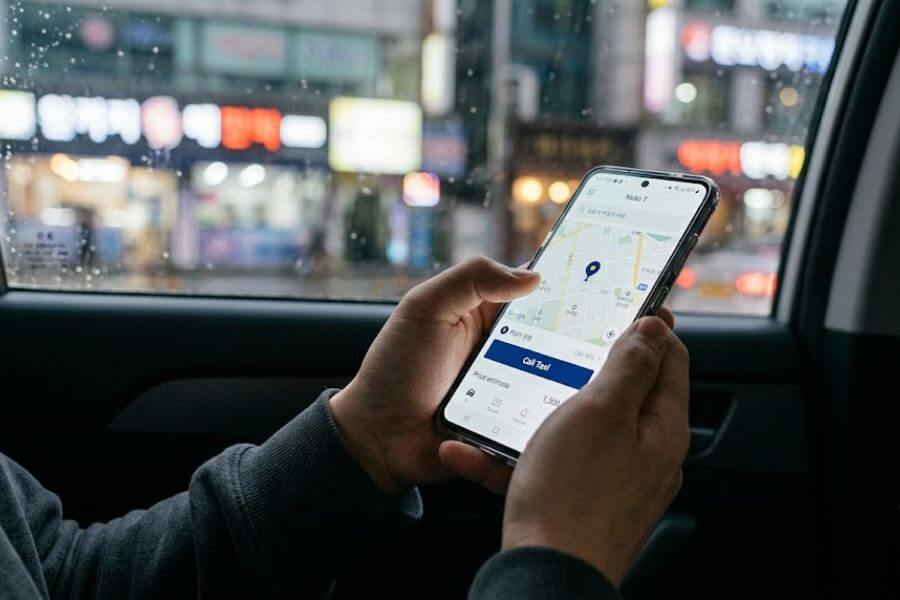
You are standing on a street corner in the Hongdae neighborhood at midnight, your feet ache from walking all day, and every single bright-orange taxi passing by has a glowing red sign in the window that you cannot read. You wave your arm, but they keep driving past, leaving you stranded while trying to figure out how to get back to your hotel. You need a ride right now, and the best way to get one is through the most popular ride-hailing app in South Korea, known as Kakao T. Many travelers think you must have a local SIM card and a local identification number to use this service, but that is simply not true. You can unlock the full power of this app using your own phone number from home and a few smart adjustments during the checkout process. This complete guide will walk you through every step of the journey so you can travel across the city like a local without any stress.
Why Using an App Beats Waving Your Hand on the Street
Trying to catch a cab by waving your hand on the sidewalk in a busy city like Seoul can turn into a giant guessing game. When you use a ride-hailing app, you eliminate the confusion of language gaps, wrong turns, and unexpected pricing surprises. The app tells your driver exactly where to pick you up and exactly where you want to go before you even step foot inside the vehicle.
Avoiding the Language Gap Shock
The biggest hurdle for young travelers visiting South Korea is communication. Most taxi drivers in the city are incredibly kind, but many do not speak fluent English. Trying to explain the name of a hidden guest house in a narrow alleyway can result in heavy stress for both you and the driver. The app solves this problem completely by utilizing a digital map interface. When you input your destination digitally, the app translates that into a clear navigation path on the driver’s screen, ensuring there are no misunderstandings about where you want to go.
No More Guessing Your Final Fare
When you hail a car randomly from the sidewalk, you might worry about how much the journey will cost, especially if traffic builds up near major spots like the Han River bridges. The digital system provides a calculated estimate of your total bill before you confirm your ride. It analyzes current traffic patterns, distance, and time to give you a clear picture of your upcoming expenses, which helps you manage your daily travel budget.
Safety Tracking for Peace of Mind
Traveling in a new country can feel intimidating, but digital ride-hailing provides a built-in safety net. The app records the exact vehicle license plate number, the driver’s name, and the specific route taken. You can share your live location status with your family back home or your friends in the city, allowing them to watch your vehicle move along the map in real-time.
Demystifying the Korean Phone Number Misconception
A common piece of advice floating around internet travel forums is that you cannot use local transport apps unless you buy a Korean SIM card that comes with a local phone number. This rumor causes many visitors to spend extra money on costly telecom packages at the airport. The truth is that the system welcomes international phone codes during the setup phase, provided you follow the right sequence.
Active Roaming Versus Verified Identity
The system requires a phone number purely to send a one-time verification text message when you first build your profile. It does not matter if your phone code starts with a number from North America, Europe, or other parts of Asia. As long as your phone can receive text messages while you are abroad, your international number works perfectly. The main trick is understanding that the restriction only kicks in if you try to save an international credit card into the automatic payment section of the app. By choosing an alternative payment path, the requirement for local identification vanishes entirely.
Preparing Before You Leave Home
The best strategy is to complete the download process before you even board your flight. When you do this while still connected to your home network, receiving the verification text message is a seamless process. You will not have to worry about looking for public Wi-Fi networks at the arrivals terminal or dealing with spotty international data connections while standing in a crowded airport line.
Setting Up Your Account Step-by-Step
To begin your journey, you need to download the official application, which is listed as Kakao T on both major smartphone application stores. The icon is bright yellow with a bold black letter T right in the center, making it highly visible on your device screen.
Downloading and Granting Permissions
Once you open the digital storefront on your device, search for the app and start the installation. When you launch the application for the first time, your screen will display several pop-up windows asking for specific device permissions. You must allow the app to access your location services, as this feature allows the system to find where you are standing on the map. You should also approve notification permissions so the app can send you alerts when your driver arrives or if they send you a message.
Linking with a Chat Profile
The transport application operates on the same digital network as South Korea’s primary messaging platform, KakaoTalk. If you already have a chat profile on that network, you can select the option to log in using your existing credentials. If you do not have a chat account, do not worry. You can simply choose the option to register as a new user directly inside the transport app by using your email address and establishing a secure password.
Entering Your International Phone Code
When the screen prompts you to input your mobile contact details, you will see a small rectangular box showing a flag or a country code. Tap that box to open a scrolling list of nations. Find your home country and select it, which will automatically insert the correct international prefix. Type your regular mobile number into the main field, making sure to drop the first zero of your area code if your country’s dialing rules require it. Tap the request button, wait a few seconds for a four-digit code to arrive via text message, type those numbers into the verification box, and your registration is complete.
Learning to Read the English Map Interface
When you open the main screen after completing your setup, the display might feel a bit overwhelming because of the various service icons. However, switching the language parameters into a format you understand will make the process highly intuitive.
Switching Your Language Parameters
If the application displays Korean text upon your initial login, you can modify this within your personal dashboard. Look at the bottom right corner of your screen for a small icon shaped like a person, labeled as My Info. Tapping this option opens your account registry. Scroll down until you spot a menu item that deals with language preferences, which usually displays a globe symbol. Select English from the list, and the entire app will refresh, translating the menus, buttons, and system alerts into clear English.
Navigating the Transport Dashboard
The main screen contains multiple colorful buttons representing different transit modes, including bicycles, trains, and parking options. For the purposes of getting a ride, your sole focus should be on the icon labeled Taxi, which features a classic sedan graphic. Tapping this button shifts the application into ride mode, replacing the dashboard with an interactive street map centered on your current physical position.
Pinpointing Your Exact Pick-up Spot
The accuracy of your pick-up spot determines how fast your driver can find you. Seoul is a massive metropolis with multi-lane roads, underground walkways, and dense high-rise clusters that can sometimes confuse your phone’s internal satellite location systems.
Enhancing GPS Position Accuracy
When you enter the ride screen, a small blue dot will pulse on the map to show where the system thinks you are standing. Do not blindly assume this dot is perfectly accurate. Zoom in on the map by pinching your fingers across the glass screen to see if the marker rests on the correct side of the avenue. If you are standing in front of a department store but the marker sits across a six-lane highway, your driver will pull up on the opposite side, forcing you to find an underground tunnel or a pedestrian bridge just to reach the car.
Utilizing Landmarks and Transit Exits
The smartest way to secure a smooth pick-up is to stand next to a clear landmark. Subway stations serve as the absolute best meeting spots throughout the city. Every subway station entrance features a highly visible pole labeled with a specific exit number. Move your digital map pin until it rests directly over a designated exit, such as Hongik University Station Exit 9 or Myeongdong Station Exit 5. You can then wait comfortably right next to that physical stairwell sign, knowing your driver’s navigation system will guide them directly to that exact spot.
Entering Your Destination Without Korean Typing Skills
The thought of typing out complex street addresses in a foreign language can cause a lot of anxiety for young travelers. Fortunately, the system features a robust search engine that recognizes worldwide landmark names, tourist attractions, and English spellings.
Searching for Main Tourist Spots
If you want to visit a major historical site like Gyeongbokgung Palace, a shopping district like Dongdaemun Design Plaza, or a landmark like N Seoul Tower, you can simply type those exact English names into the destination search bar at the top of the screen. The app will generate a list of matching results below your text field. Always look closely at the smaller descriptive words underneath each search result to confirm that the location matches the neighborhood you intend to visit.
Copying Addresses from Alternative Mapping Services
For smaller spots like a specific indie cafe in the Yeonnam-dong area or a boutique clothing shop in Sinsa-dong, the English search inside the transport app might occasionally come up empty. When this happens, open an alternative digital mapping service like Google Maps or Naver Maps on your device and search for the venue there. These platforms usually display the address in both English text and traditional Korean characters. Copy the line of Korean characters, switch back to your transport application, and paste that text directly into the destination box to get an exact match.
Comparing Your Vehicle Options
Once your pick-up point and destination are locked in, the system will show a menu listing different vehicle tiers. Each tier serves a unique purpose based on your budget, party size, and luggage requirements.
Understanding the General Request Tier
The option labeled General Request is your ticket to a standard city cab. These are the regular mid-sized sedans you see everywhere on the streets, usually painted in shades of bright orange, silver, or white. This option is highly budget-friendly and is perfect for individuals, couples, or small groups of up to four people traveling with light daypacks. This tier utilizes the standard city meter to calculate the cost of your ride.
Moving Up to Premium Options
If you are traveling during rush hour or trying to catch a ride in a nightlife district during a heavy downpour, finding a basic vehicle can take a bit longer. In these high-demand moments, you can select premium tiers like Kakao T Blue or Deluxe. Blue vehicles are standard sedans that belong to a specialized fleet, and drivers cannot decline your ride request once assigned. Deluxe cars are typically high-end black sedans driven by experienced operators with pristine safety records, providing a more luxurious and quiet atmosphere at a higher rate.
Selecting Large Vehicles for Group Travel
If you are traveling with a group of friends or carrying multiple large suitcases from the airport, a standard sedan will not have enough trunk space. For these situations, look for the tier labeled Venti. This option calls a large, comfortable passenger van capable of holding up to seven people alongside heavy cargo. Choosing a single van often proves far more economical and enjoyable than trying to split your group into two separate standard sedans.
| Vehicle Tier Name | Maximum Passenger Capacity | Pricing Structure | Best Used For |
| General Request | 4 passengers | Standard meter rate | Budget travel, daily sightseeing, solo trips |
| Kakao T Blue | 4 passengers | Standard meter plus small service fee | Urgent situations, rainy days, peak rush hours |
| Deluxe | 4 passengers | Premium meter rate | Luxury travel, business comfort, quiet rides |
| Venti | 7 passengers | Large vehicle rate | Big tour groups, airport runs, heavy luggage |
Bypassing the Credit Card Registration Block
This section covers the absolute most crucial trick for any traveler using the app without a local mobile identity. If you attempt to click the primary confirmation button right away, the app will redirect you to a screen demanding that you register a domestic credit card, which requires a local resident registration number. You can bypass this obstacle entirely by changing your payment route.
Locating the Payment Method Slide
Look closely at the lower portion of your screen where the total estimated price is displayed. Right next to that price figure, you will see a small tab indicating a payment card icon. Tap that specific section to open up your payment options menu. The default view will showcase a bright button urging you to add a personal credit card for automated digital billing. Ignore that prompt completely.
The Power of Swiping Left
Place your finger on that payment method selection area and swipe your finger firmly from the right side of the screen toward the left side. This simple sliding gesture reveals a hidden secondary menu page. On this screen, you will find an option labeled Pay to Driver. Tap this selection so that a checkmark appears next to it, and then press the confirmation button at the bottom of the screen.
Understanding the Pay to Driver Dynamic
By selecting this method, you are telling the digital network that you want to handle the financial transaction directly with the driver once your trip concludes, rather than through an automated app payment. This selection instantly eliminates the requirement for any local identification cards or local phone contracts, allowing your international profile to function seamlessly across the entire digital network.
Tracking and Identifying Your Arriving Car
After you press the final request button, the system will start scanning the surrounding area for available drivers. Once a driver accepts your trip, your screen will transform into a dynamic tracking control station.
Reading the Vehicle Details Card
The application will display a small information card at the bottom of the map view containing the vital statistics of your approaching vehicle. You will see a photograph of the driver, their overall user rating out of five stars, the make and model of the car, and the official state license plate number. Memorize or screenshot the last four digits of this license plate number, as this is your main tool for identifying your ride on a busy street.
Watching the Vehicle Approach
The interactive map will show a small car icon moving through the streets in real-time, accompanied by a countdown timer showing exactly how many minutes remain until arrival. Use this visual guide to prepare yourself. If the timer shows two minutes, step out to the edge of the sidewalk near your designated landmark so you are fully visible when the vehicle pulls up to the curb.
Basic Etiquette and Getting into the Vehicle
When the car arrives at your pick-up spot, executing a few basic checks ensures you are stepping into the correct vehicle and sets a polite tone for the entire trip.
Verifying the License Plate Number
Never simply jump into the first sedan that pulls up to your location. Walk up to the rear or front of the vehicle and quickly check the numbers on the license plate against the digits listed on your phone screen. Once you confirm they match, open the door and slide inside. If you are traveling in a premium car or a large van, the passenger doors might open automatically via an electronic switch controlled by the driver, so look for a brief moment before pulling the handle.
Confirming Your Destination Out Loud
As soon as you sit down, greet your driver with a polite nod and say hello, which is pronounced as an-nyeong-ha-se-yo in the local language. To make sure there are no errors, hold up your phone screen so the driver can see the English and Korean destination names on your display. The driver will usually nod, say the name of the location out loud, and press a button on their dashboard navigation unit to begin the route tracking.
Settling Your Bill at the End of the Ride
When the vehicle pulls up to your final destination, the driver will shift the car into park, turn off the taximeter, and the final exact fare will appear on the dashboard display panel. Since you selected the direct payment method, you will handle the transaction right there in the back seat.
Paying with Cash for Simplicity
If you prefer to use physical money, hand your bills directly to the driver. It is smart to keep a steady supply of ten-thousand-won and five-thousand-won paper bills in your wallet for transportation expenses. If you hand the driver a large fifty-thousand-won bill for a short ride, they can easily provide change from their onboard coin drawer, but using smaller bills keeps the transaction fast and straightforward.
Utilizing International Credit Cards
Every single taxi operating in the capital city features an electronic card payment terminal built directly into the center console between the front seats. You can hand your international credit card or debit card directly to the driver, or tap it against the screen of the payment terminal yourself. The system processes major global credit networks without any issues, making it highly convenient if you do not want to carry physical paper currency around the city.
Tapping with a Local Transit Card
If you purchased a prepaid transport card like a T-money card from a convenience store at the start of your vacation, you can use those stored funds to pay for your ride. Simply let the driver know by pointing to your plastic card, and then place the card flat against the electronic sensor pad on the console terminal until a confirmation beep sounds, indicating the correct fare has been deducted from your balance.
Smart Tricks for Navigating Crowded Neighborhoods
Seoul is full of vibrant districts that feature narrow pedestrian walkways and immense crowds. Navigating these specific zones requires a bit of tactical planning so your ride does not get stuck in gridlock traffic.
Surviving the Crowds of Myeongdong and Hongdae
Shopping districts like Myeongdong or the nightlife alleys of Hongdae are frequently closed off to vehicular traffic or packed with thousands of pedestrians during evening hours. If you try to call a car directly to the door of a shop inside these zones, your driver will be forced to crawl through the crowds at a walking pace, or they might cancel the ride entirely because they cannot physically reach you. Walk a block or two away from the core pedestrian zone toward a major peripheral avenue or a subway entrance before booking your ride.
Dealing with Express Terminal and Station Pick-ups
Massive transit hubs like Seoul Station or the Express Bus Terminal feature designated passenger loading zones that operate under strict rules. If you stand on the main street outside these hubs, city laws prevent cars from stopping at the curb. Look for the local overhead signs pointing toward the official Taxi Boarding Platforms, move your digital map pin to match that exact platform location, and wait in the organized line for your assigned vehicle to loop around the terminal driveway.
Troubleshooting Common Digital Glitches
Even the most stable software applications can experience occasional hiccups when you are moving between different mobile networks or traveling through areas with dense skyscraper coverage.
Fixing a Frozen Map Display
If you open the app and notice that the map screen refuses to load or the blue location dot stays frozen in a neighborhood you visited three hours ago, your device is likely experiencing a minor data sync lag. Close the application completely, slide it out of your phone’s active memory tray, toggle your device’s airplane mode on for five seconds to refresh your cellular connection, and reopen the app. This quick refresh usually forces the GPS system to re-calibrate and find your true location instantly.
Handling a Sudden Driver Cancellation
On rare occasions, a driver might accept your request but then cancel the trip a minute later. This usually happens because the driver encountered an unexpected road closure, a sudden traffic accident, or realized they were in an express lane that prevented them from making a U-turn toward your side of the highway. Do not take this personally or feel discouraged. The system will immediately return you to the main vehicle selection screen, allowing you to press the request button again to pair up with another nearby driver within seconds.
Safety Protocols and Ride Sharing Essentials
Your personal safety should always remain your top priority when exploring a foreign country. The app includes several built-in security features designed to give young travelers total confidence during their nighttime journeys.
Utilizing the Live Route Sharing Button
Once your ride begins, look at the bottom of the map screen for a button labeled Share Trip Status. Tapping this button generates a secure tracking link that you can send directly to your friends or family members via text message or chat applications. When they click this link, a browser window opens up showing a live map tracking your vehicle’s speed, direction, and estimated arrival time, ensuring that someone always knows exactly where you are located.
Checking the Official Identification Plate
Every legal taxi driver in South Korea must prominently display their official physical driver’s license inside the vehicle, usually mounted on the dashboard right above the glove compartment. This plastic card features a large photograph of the driver, their full name written in English and Korean, and their official registry number. Matching the face of your driver with the dashboard license card provides an extra layer of verification, ensuring you are riding with a fully authorized city operator.
Helpful Transport Phrases to Keep on Your Phone
While the application does a fantastic job of minimizing the need for spoken communication, knowing a few basic phonetic Korean words can make your trip even more enjoyable and help you interact politely with your driver.
- An-nyeong-ha-se-yo: This means hello and should be spoken with a polite nod when you enter the vehicle.
- Gam-sa-ham-ni-da: This translates to thank you, which is perfect to say when you exit the car at your destination.
- Yeo-gi-seo nae-ryeo-ju-se-yo: This phrase means please let me out here, which is highly useful if you spot your hotel entrance a little bit down the road and want to jump out early.
- Yeong-su-jeung ju-se-yo: This means please give me a receipt, which is helpful if you need to keep track of your travel spending or if you want to remember the specific vehicle details.
Frequently Asked Questions
Can I use the app if my phone is only connected to a portable Wi-Fi egg?
Yes, you can use the app perfectly while connected to a portable Wi-Fi device or a data-only eSIM. The system only requires an active internet connection to load the map interface, search for destinations, and send out your ride requests to the network. The only time you need an actual mobile phone number is during the initial account creation phase when you receive the automated verification text message. Once that profile setup is finished, your account remains fully active and functional over any standard wireless internet connection or pocket router you use while exploring the city.
What should I do if I accidentally leave my wallet or backpack inside the vehicle?
If you leave a personal item behind in the backseat, open your app immediately and navigate to your personal profile dashboard by tapping the My Info button. Select your trip history menu to view a list of all your recent journeys. Tap on the specific ride you just completed to view the detailed summary card. You will find a contact button that allows you to call the driver directly or reach out to the customer support center. Because the system tracks every vehicle digitally, identifying the exact car and retrieving your lost belongings is a highly structured process, especially if you ask your accommodation front desk to assist you with the phone conversation.
Is there an extra surcharge if I call a vehicle late at night?
South Korea utilizes a standard late-night taxi fare premium system that applies to all rides between the hours of eleven o’clock in the evening and four o’clock in the morning. During these late-night hours, the base rate on the physical taximeter increases automatically by a set percentage depending on the exact hour. When you use the application to call a car during this window, the fare estimate displayed on your screen will automatically factor in these night surcharges, meaning you will not experience any unexpected price shocks when it comes time to settle the bill with the driver.
Why does the driver sometimes cancel my ride if I am standing near a bus lane?
City traffic regulations across the capital are incredibly strict regarding where passenger cars are permitted to stop. Major avenues feature dedicated blue-painted lanes reserved exclusively for public city buses, and regular vehicles can face heavy automated camera fines for pulling over into these zones. If your digital pick-up pin rests inside a restricted bus lane area, your driver might cancel the ride because they cannot find a safe spot to park. To prevent this issue, always position your meeting pin around a corner on a standard side street or right next to a designated subway exit where cars can legally pause at the curb for a minute.
Can I book a ride for a friend who is standing in a different part of the city?
Yes, you can easily call a vehicle for someone else from your own device screen. To do this, tap the pick-up location search bar and manually type in the exact address or landmark where your friend is currently standing, rather than using your own live GPS position. Input their final destination as normal, select the vehicle tier, and make sure to choose the direct payment option so your friend can pay the driver with cash or a card when they arrive. Once the ride is confirmed, take a screenshot of the vehicle details card showing the license plate number and send it to your friend so they can spot the car easily.
What happens if the final price on the meter is different from the app estimate?
The price figure displayed on your device screen when you initially book your ride is a carefully calculated estimate based on the optimal route and average traffic speeds. The actual amount you pay at the end of the journey is determined by the official physical taximeter mounted on the vehicle’s dashboard. If your ride encounters unexpected traffic congestion, road construction detours, or if you request a route change mid-trip, the final meter price might read slightly higher or lower than the initial digital forecast. This variation is completely normal and mirrors how standard city transit systems operate around the globe.